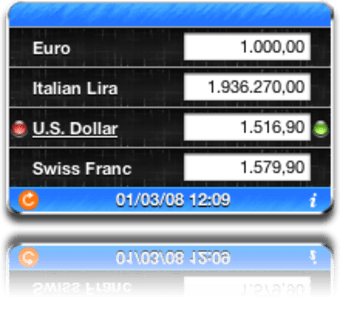
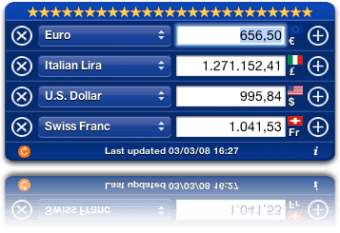
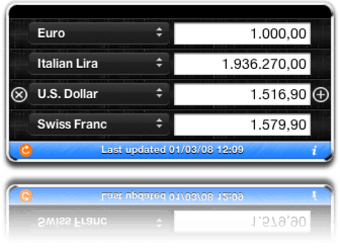
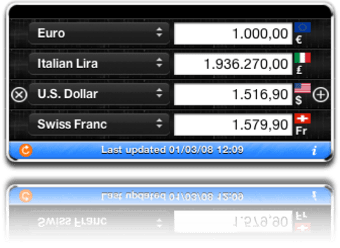
This widget lets you convert simultaneously any amount in four different currencies. Values are regularly updated, that is if you're connected to the internet and Dashboard is working. The widget includes not only the world's most used currencies but also lesser known ones and even legacy currencies such as the French Franc or the Deutsch mark.
To use it, simply select the currencies of your choice from the drop down menus, type in a value and let the widget do its job. If you're converting from one currency to another you probably won't need the four entries made available though. Currency Converter goes up to a precision of five decimals and can also calculate taxes, if you include them. On a side note, Currency Converter also includes a number of different themes to choose from.
Currency Converter is a useful widget to precisely convert to any currency in the world. Fills in a gap oddly left out by Apple. A must have for your Dashboard.
Changes
Now ready for MacOs X Lion
Bitcoin exchange rate fixed
Pros
Often updated
Different themes
Has lots of currencies
Calculates currencies simultaneously
Cons
Shows only four currencies at once
This little widget will allow you to quickly convert any currency from your Dashboard. It offers the following features:
Automatically updated exchange rates
Support all the traded currencies of the world
Support the old legacy european currencies (like italian lira, deutsch mark, french francs) and other legacy currencies of the world
Support multiple currencies conversions (you can add all the currencies you want to the conversion table)
Support multiple widget instances, so that you can keep open more than a conversion table, each with a set of preferred currencies
You can choose the desired decimal precision, from 1 to 5 decimals
You can evaluate expressions (ex. 10+10, 10*3,2, etc.)
You can sort currencies by name, by ISO code or by countries (all the countries of the world are listed!)
You can calculate the exchange taxes setting the exchange taxes rate (for example 2% for credit cards)
You can do inverse conversion, too! Just enter * in a currency value field and you'll get the current rate for that currency vs the other currencies in the table
Localized in English, Italian, Portuguese, German, French, Dutch, Spanish, Swedish, Polish, Greek, Russian, Turkish, Traditional Chinese and Japanese (all the currency names are localized, too). Help me with the localization in other languages
You can choose an interface theme between Blackboard (the new default theme), Blackboard basic (without the currency sign and currency flag), Mini (useful for small screens), Mini translucid (semitransparent) and European (the old default theme). More will be added in the future, you can suggest me your ideas about them
Currency Converter Review by User. Great currency converter software! works just like currencyconvert.co online website. Pros: Works great and fast conversions Cons: Add multiple conversion options
Laws concerning the use of this software vary from country to country. We do not encourage or condone the use of this program if it is in violation of these laws. Softonic may receive a referral fee if you click or buy any of the products featured here.